

As ecommerce continues to grow, cyber threats are increasing at the same pace. While Shopify provides a highly secure infrastructure, store-level security still depends heavily on how merchants manage access, payments, apps, and customer data.
Implementing strong Shopify security best practices is essential to prevent fraud, protect sensitive information, and maintain long-term customer trust.
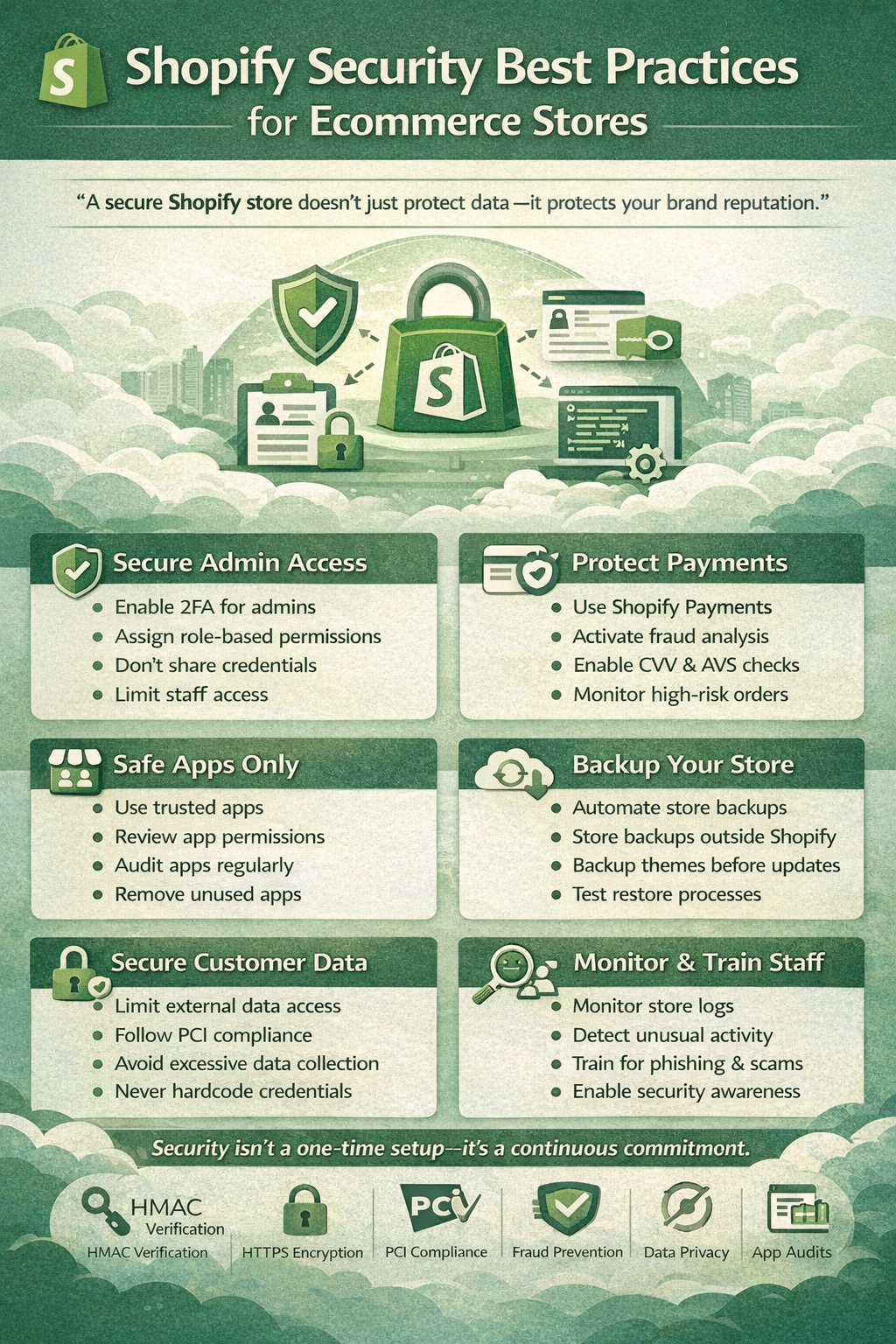
“A secure Shopify store doesn’t just protect data — it protects your brand reputation.”
Why Shopify Security Is Critical
Security breaches don’t only cause financial loss — they impact customer confidence and business continuity.
Poor Shopify security can lead to:
- Payment fraud and chargebacks
- Unauthorized admin access
- Customer data leaks
- Malicious scripts from apps
- Loss of SEO rankings and trust
This is why Shopify data protection must be treated as a continuous operational priority.
1. Secure Shopify Admin Access
Admin access is the most common vulnerability point.
Best Practices
- Enable two-factor authentication (2FA) for all staff
- Assign role-based permissions
- Remove unused staff accounts
- Never share admin credentials
- Limit developer access after project completion
Use the principle of least privilege — only provide access that is absolutely necessary.
“The fewer people with admin access, the smaller the security risk.”
2. Strengthen Shopify Payment Security
Payments are the most sensitive part of any ecommerce store.
Payment Security Best Practices
- Use Shopify Payments whenever possible
- Enable fraud analysis tools
- Activate CVV and AVS checks
- Monitor high-risk orders regularly
- Avoid unknown third-party payment gateways
Shopify Payments ensures PCI DSS compliance, reducing legal and financial risk.
3. Protect Customer Data
Customer trust depends on how well their data is protected.
Shopify Data Protection Measures
Shopify automatically provides:
- SSL certificates
- Encrypted data storage
- PCI-compliant payment processing
Store owners should also:
- Limit customer data exports
- Avoid storing customer data externally
- Restrict third-party access
- Never hardcode credentials in theme files
“Good data protection means collecting only what you truly need.”
4. Manage App Security Carefully
Apps extend functionality but also increase security exposure.
Common App-Related Risks
- Excessive permissions
- Injected JavaScript
- Access to order and customer data
- Performance and tracking vulnerabilities
App Security Best Practices
- Install apps only from the Shopify App Store
- Review permissions before approval
- Remove unused apps immediately
- Avoid multiple apps with the same functionality
- Audit installed apps every 30–60 days
Fewer apps = stronger Shopify security.
5. Secure Theme and Custom Code
Themes can silently introduce vulnerabilities if poorly managed.
Theme Security Tips
- Use themes from trusted developers only
- Remove unused snippets and scripts
- Avoid external unknown scripts
- Minimize inline JavaScript
- Backup theme files before updates
Custom code should always be reviewed and documented.
6. API & Webhook Security
If your store uses integrations, API security is critical.
Shopify API Security Best Practices
- Store access tokens securely
- Rotate API credentials regularly
- Verify webhook HMAC signatures
- Use HTTPS endpoints only
- Log webhook activity and failures
“Every webhook is a potential entry point — verification is mandatory.”
7. Monitor Store Activity
Early detection prevents serious damage.
Monitor Regularly
- Admin login activity
- Staff permission changes
- App installations
- Unusual order behavior
- Sudden traffic spikes
Shopify’s activity logs help identify suspicious actions early.
8. Backup & Recovery Planning
Even secure systems require backup strategies.
Backup Best Practices
- Maintain automatic store backups
- Backup themes before changes
- Keep version history
- Test restore processes periodically
Security without recovery planning is incomplete.
9. Train Your Team
Human error remains one of the biggest security threats.
Train staff to:
- Identify phishing attempts
- Avoid suspicious links
- Use strong passwords
- Report unusual activity immediately
“Technology secures systems — awareness secures businesses.”
Shopify Security Checklist
✔ Enable 2FA
✔ Secure payment gateways
✔ Audit apps regularly
✔ Restrict admin access
✔ Monitor activity logs
✔ Protect customer data
✔ Secure APIs & webhooks
✔ Maintain backups
Conclusion
Shopify provides a strong foundation, but true ecommerce security depends on proactive store management.
By following proven Shopify security best practices and prioritizing Shopify data protection, merchants can protect customer trust, prevent fraud, and ensure long-term business stability.
“Security isn’t a one-time setup — it’s a continuous commitment.”